Barcode
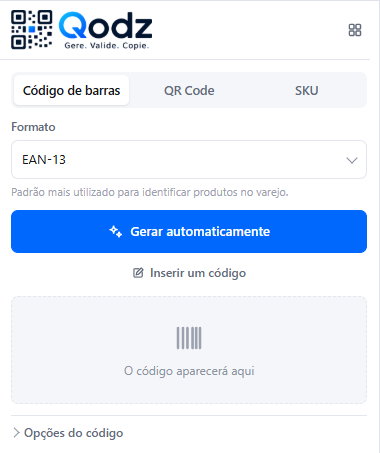
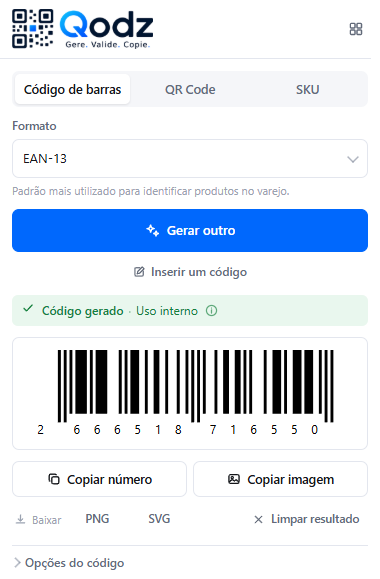
Generate, enter, validate, copy, and download codes in different formats.
- EAN-13
- EAN-8
- UPC-A
- UPC-E
- Code 128
- Code 39
- ITF-14
- ISBN-13
- ISSN
Google Chrome extension
Generate, check, or recover the code you need and keep entering products — without leaving your browser.
7 days of full access · Chrome extension
Generate. Validate. Copy.
Real situations
From a code that won't scan to a SKU that doesn't exist yet, Qodz brings together what you need to resolve the issue and continue product entry.
Generate a technically valid number for internal use in a few clicks.
Enter the number and regenerate the code to copy or download.
Validate the number and quickly find out if anything is wrong.
Create standardized SKUs to keep product data organized.
Automatic generation
Choose the format. Qodz generates the number, calculates the check digit, and gives you a code ready to copy or download.
Three pillars
Generate, enter, validate, copy, and download codes in different formats.
Create QR codes for different content types in your browser.
Create standardized internal codes to identify and organize your products.
TEC-LOG-K380-PRETO
Combine category, brand, model, and detail — and reuse the template for your next products.
Demo
No complicated forms. Choose what you need, get it done, and copy the result.
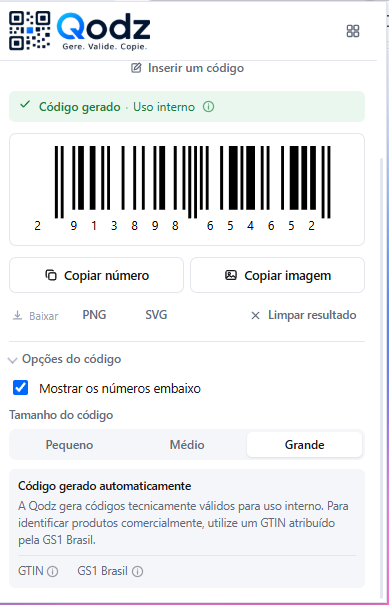
How it works
Open Qodz from the Chrome toolbar.
Generate, validate, or find the code you need.
Copy the result and continue entering products.
Additional tools
Paste a list and generate them all at once.
Clean up and standardize lists.
Find differences between two lists.
Identify the format and check whether it's valid.
Find the missing check digit.
Identify codes in an image.
Find codes in texts and reports.
Go back to recently used codes.
Free trial
Use Qodz in your routine with all features unlocked. If it makes your work easier, choose Pro, Business or Scale.
7 days of full access
Understand in 1 minute
Qodz helps you handle different situations, but it's important to understand the difference.
A unique number used to identify a product in a standardized way in global commerce.
The organization responsible for assigning GTINs to businesses in Brazil and maintaining this product identification standard.
Codes automatically generated by Qodz are intended for internal use. To identify products commercially, use a GTIN assigned by GS1 Brasil.
Keep the tools you need to generate, validate, and organize codes close at hand in your browser.
7 days of full access